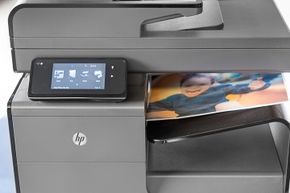
You probably have one or the other sitting in a corner of your home office. Maybe it’s gathering dust. Maybe it’s making noise right now. The two dominant forces in the consumer printing market are inkjet and laser printers. They are widely available, relatively cheap to buy upfront, and get the job done. But beneath the plastic casing, they operate on completely different physical principles. Understanding these differences matters, especially if you are tired of replacing cartridges every week or paying premium prices for color printing that looks washed out.
How Inkjet Printers Actually Print
Inkjet printers are essentially microscopic spray guns. They do not use a drum or static electricity. Instead, they spray liquid ink onto paper in tiny, precise drops. The ink lives in replaceable or refillable cartridges. Inside those cartridges, you will often find a print head. This head contains an array of hundreds or even thousands of microscopic nozzles. These nozzles are packed tight together.
The cartridges themselves are not just plastic tubes. They include microchips and other electronic components that control the spray. Some even use hydrophobic foam to hold the ink in place. But how does the ink get out? Usually, it comes down to two technologies.
Thermal technology heats tiny chambers of ink. The heat creates a bubble. That bubble expands and forces a droplet out of the nozzle. Piezoelectric technology works differently. It uses crystals that vibrate or change shape when an electrical charge is applied. That mechanical movement pushes the ink out. A carriage arm moves the print head back and forth across the page as it draws the image. Meanwhile, software algorithms interpret the digital file you sent, deciding exactly where each drop of color should land.
The color model is standard for most consumer devices: cyan, magenta, yellow, and black. Cyan is blue. Magenta is that reddish-purple shade. Black is usually in its own separate cartridge. Some printers group the colors together. Others give each its own slot. You can blend these three primary colors plus black to create almost any printable shade.
Why Inkjet Flexibility Matters
Inkjets are not just for documents. They handle a wide variety of media. You can feed them different weights of paper. You can print on iron-on transfers for custom t-shirts. Canvas? Sure. Transparencies for presentations? Yes. Even CD or DVD labels fit into the mix.
There are specialized inkjet printers dedicated entirely to photography. These often use more than the standard three primary colors. They add light cyan, light magenta, or gray to achieve photorealistic depth. If you care about sharpness and color accuracy in photos, an inkjet is usually the way to go. Laser printers struggle with the texture and absorbency of photo paper. Inkjets thrive on it.
The Laser Printer Alternative
Laser printers do not spray liquid. They use powdered toner. This toner is made of tiny particles of colored plastic. The process is more complex mechanically but faster in execution.
A laser projects an image onto a rotating drum or belt. The surface is coated in a photosensitive material. The laser beam changes the electrical charge in specific areas on that drum. Next, the toner is charged with static electricity of the opposite polarity. When the drum rolls through the toner hopper, the charged toner sticks to the areas illuminated by the laser.
The toner-covered drum then presses against a sheet of paper. The paper has a charge opposite to the toner, pulling the particles off the drum and onto the page. Finally, the paper passes through heated rollers. The heat melts the plastic toner. It fuses permanently to the paper. This is why laser prints feel smooth and dry almost immediately.
There is also the LED printer variant. It works similarly to a laser but swaps the moving laser beam for an array of light-emitting diodes. It achieves the same result without the moving parts, potentially increasing reliability.
Monochrome vs. Color Laser
Most home-use laser printers are monochrome. They only use black toner. This keeps costs low and speed high. If you only print text documents, a black-and-white laser is often more efficient than an inkjet. Color laser printers exist, though. They typically have a separate drum and toner cartridge for each color: black, cyan, magenta, and yellow. This setup is robust for offices that need color but do not need photo-quality gradients.
The Hybrid Reality
The line between these categories is blurring, but the core mechanics remain distinct. Modern printers are also becoming smarter. Many now include WiFi and cloud capabilities. You can send pages wirelessly from your phone or laptop without installing bulky drivers.
Duplexing is another common feature. You can print on both sides of the page automatically. This saves paper and gives your documents a more professional look. Then there are the multi-function devices (MFDs). These units act as printers, scanners, copiers, and sometimes fax machines. They are space savers but add complexity to maintenance.
Making the Choice
Which printer is right for you depends on what you actually print. If you are shooting for low upfront cost and high color versatility, inkjet rules. If you are printing high volumes of text and need reliability, laser is the answer.
Consider the media. Do you need to print on photo paper? Stick with inkjet. Do you just need invoices and labels? A laser will save you money in the long run.
The market is crowded with options. Some printers handle poster-sized paper, which drives the price up. Others stick to standard letter size. You have to decide what fits your workflow.
Technology moves fast. Ink droplet sizes are getting smaller. Laser toners are becoming more vibrant. The hardware changes, but the fundamental choice remains: liquid spray versus fused powder. Pick the tool that matches your output. Don’t let the marketing hype confuse you.