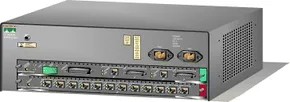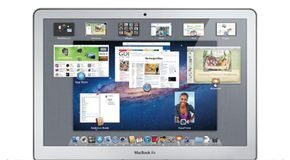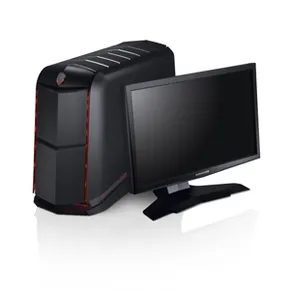
The numbers don’t lie. We are drowning in digital hardware.
Smartphones move at a rate of nearly 150 million units per quarter. Personal computers hold steady around 100 million. Tablets? They’re red-hot, moving nearly 120 million units annually. That is a staggering mountain of silicon and glass scattered across the globe.
Most of us have zero idea how these machines are actually built. The process looks simple until you peek under the hood. Then it gets bewilderingly complex.
The Anatomy of a Machine
If you’ve ever opened a dusty desktop tower, you know what’s inside. It’s a chaotic mess of shiny circuits and heat sinks. A computer is just a collection of specialized parts working in harmony.
You likely know the main players.
CPU (Central Processing Unit) acts as the brain. It takes instructions from your software—whether that’s Excel or a web browser—and crunches them.
Hard drives provide storage. Traditional magnetic drives can hold terabytes of data. Newer solid-state drives (SSDs) lack moving parts. They’re faster and less prone to mechanical failure.
Mobile devices like smartphones don’t have room for massive drives. They use flash memory chips. Think of the SD cards in your camera. You can swap them out to share data easily.
Then there is RAM (Random Access Memory). This is short-term memory. It’s small compared to a hard drive but incredibly fast. RAM determines how quickly your system can juggle multiple tasks. Without it, everything would crawl.
The motherboard ties it all together. It’s the nervous system of the PC. Without this circuit board, you just have a pile of expensive, disconnected electronics.
Assembly vs. Manufacturing
Here is the catch.
Computer manufacturers rarely build every single component from scratch. The engineering required for specialized manufacturing machines is too high for most brands.
Instead, companies buy parts. They source motherboards from dedicated motherboard makers. They buy CPUs from chip giants. They buy storage drives from storage specialists.
Then they mix and match. They assemble the final product. It’s a logistical puzzle.
We are jumping ahead, though. Before we talk about assembly lines, we need to look at the beginning of the chain. Where do these parts actually come from?
From Design to Factory Lines
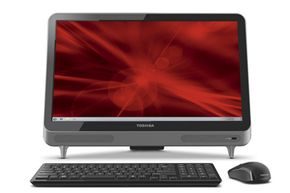
Designing a computer starts with a simple constraint: you can’t build anything without a purpose. Manufacturers identify a gap in the market first. Only then do they open their CAD software to model the solution. Once the blueprint exists, engineers calculate the manufacturing tools required.
But let’s look at the reality of production. Every device relies on heavy resources. Your screen contains silica sand and glass. The chassis is often steel or aluminum. Inside, you have gold, bauxite, and iron ore. These aren’t abstract concepts. They are literal rocks pulled from mines.
From Mine to Wafer
Raw materials travel to specialized factories. You might have a facility dedicated solely to RAM chips. Another might focus exclusively on CPUs. The complexity of creating a single processor highlights the sheer volume of effort involved.
CPUs are primarily crystalline silicon. This comes from sand. But sand won’t do. It must be purified. Even a microscopic impurity can kill the chip. This step is non-negotiable. Once pure, the silicon becomes wafers. These are thin sheets of crystalline material.
The real work begins here. Manufacturers etch lines onto the wafer surface. They imprint circuits. They place transistors. It’s a delicate dance of precision. Chemical cleaners follow, scrubbing away any contaminants. Finally, the wafer is diced. It’s cut into individual chips. These become the brains of your machine.
Outsourcing the Complexity
That’s a summary of CPU creation. Now multiply that process across every other component. The storage drive. The graphics card. The power supply. It’s overwhelming.
No single company wants to manage every step. That’s why computer makers outsource. They rely on third-party specialists. The assembly happens later. But first, you need the parts.
A Convergence of Components
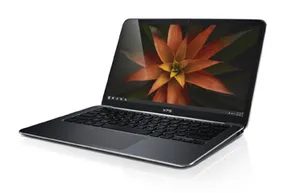
The silicon is tested. The heatsinks are applied. The raw components are finished. But the machine isn’t done.
Not even close.
Before your new PC hits a doorstep or a retail shelf, it has to survive assembly. This is the unglamorous middle ground of tech manufacturing. It’s where economies of scale turn abstract designs into tangible, shippable boxes. Companies like Dell don’t just build computers; they optimize the chaos of putting together millions of unique configurations.
How Custom Orders Flow Through the Factory Floor
You select a configuration online. You pick more RAM. You swap in a larger hard drive. The order vanishes into the digital ether, only to reappear on a factory floor.
This is the modern approach to custom PC assembly in mass production. It isn’t magic. It’s logistics.
Workers pull the specific parts dictated by your order. They place them into totes moving along a conveyor belt. The final step in gathering? Selecting a chassis that actually fits the components. If you ordered a small form factor with a full-size GPU, the system flags it. If everything matches, the technician gets to work.
Why Serial Scanning Matters for Support
Here is where the process gets precise.
As a technician hand-builds your machine, she scans every serial number. The optical drive. The hard drive. The RAM sticks.
This isn’t just for inventory tracking. It links every individual component to the service tag of the finished unit.
“By doing so, the company knows exactly which parts are in your computer, and thus, can offer better technical support when necessary.”
If a specific batch of hard drives fails six months later, the manufacturer knows exactly which serial numbers were used in which machines. They can issue targeted recalls or patches. They don’t have to guess. They know.
The Automation Gap
The completed tower moves to the software station. Operating systems get pre-loaded. Basic utilities follow suit. It’s a matter of convenience for the end user.
Then comes the automated testing. Sensors check connectivity. Benchmarks verify stability. If the machine passes, it gets boxed. If it fails, it gets torn down and reworked.
It sounds efficient. And it is. But don’t be fooled into thinking this is a fully robotic utopia.
There is still a massive amount of manual labor involved. Humans assemble the parts. Humans scan the tags. Humans box the units. Automation speeds up the process, sure. But it doesn’t replace the hands.
The Cost of Short Lifespans
We treat these machines as disposable. The expected lifespan of a typical desktop is often cited at 18 months to two years before obsolescence sets in. Not because it breaks, but because we want newer, faster, shinier things.
This creates a pressure cooker in manufacturing. To keep prices low, costs must be slashed. And where do you slash costs? Resources. Labor. Quality control time.
It’s a tightrope walk. Build it too cheaply, and returns skyrocket. Build it too expensively, and nobody buys it.
That’s why the next phase of the story matters. It explains why your cheap product feels fragile and how this entire intense process affects your wallet in the long run.
The Hidden Weight of Your Desktop PC
You don’t realize how much stuff goes into a box until you weigh it. A United Nations University study dropped a number that sounds exaggerated until you think about it: 1.8 tons of raw materials for one desktop PC.
That is ten times the computer’s actual weight.
Compare that to your kitchen appliances. An oven or fridge might take one to two times its own weight in steel and plastic. A car? Similar ratio. Computers are outliers. They are resource hogs.
This isn’t just about the box. It’s about the silicon inside.
The Water and Fuel Footprint of Silicon
Each chip on that motherboard is a marvel of precision and a nightmare for the planet. Making a single chip requires about 3.5 pounds of fossil fuels. That energy burns to heat, purify, and etch the silicon.
Then comes the water.
You can’t leave dust on a microchip. It ruins the conductivity. So manufacturers flush each chip with clean water. One chip? That’s about 9 gallons.
Do the math. To build an entire computer, you need more than 400 gallons of water. Just for the electronics.
Aluminum: The Lightweight Problem
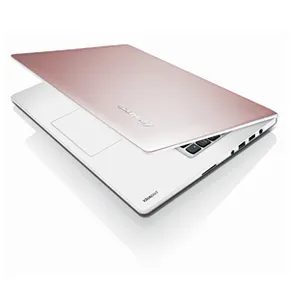
Laptops and smartphones need cases that are tough but light. Aluminum fits the bill. But getting there is dirty.
We mine bauxite. We refine it into aluminum oxide. The process eats energy. It creates carbon emissions.
There is a better way. Manufacturers could slash the energy needed to make a laptop by 90 percent if they used recycled aluminum.
But they don’t.
In the United States, only 30 percent of aluminum is recycled. The rest goes into new mines. The supply chain stays linear. It stays heavy.
The Human Cost of Cheap Tech
Resources aren’t the only thing consumed. Labor is too.
Companies chase price advantages. They find inexpensive labor wherever it exists. Sometimes that means foreign workers. Sometimes it means intense hours. Meager wages. Poor conditions.
It’s the same pattern seen in almost every high-demand global product. The desire for cheap, fast tech has a human price tag.
Upgrade, Don’t Discard
The list of resources doesn’t end. Cobalt. Lithium. Rare earth metals.
This is why the push to upgrade outdated computers instead of tossing them matters. Every year a device stays in use, it delays the need for new mining. New smelting. New water usage.
Our hunger for tablets and phones shows no sign of stopping. Millions of devices hit shelves every month. It’s a testament to engineering and global logistics.
But the cost is accumulating.
“Manufacturers could reduce the energy need to make one laptop, for example, by around 90 percent if they would use only recycled aluminum.”
We keep buying. We keep discarding. The resources keep flowing from the ground to your desk.
The cycle is efficient. It is also exhausting.