The siege of Troy is the backbone of Greek mythology. It is the story of the greatest warriors, the gods interfering with mortal lives, and the end of an era. But the most famous tactic isn’t a battle charge. It is a trick.
Odysseus needed a way into the city. The walls were too high. The army too weak for a direct assault. So he built a wooden horse. Massive. Hollow. Capable of hiding several soldiers inside. The Greeks loaded up. They sailed away, leaving the beast behind on the beach. One man, Sinon, stayed. He lied. He told the Trojans the Greeks had abandoned the war. He claimed the horse was a gift to Athena. He said it would bring luck.
The Trojans believed him. They dragged the horse through their gates. That night, while they drank and celebrated, Odysseus and his men slipped out. They opened the gates for the rest of the army. Troy burned.
This story has echoed for thousands of years. Today, your computer faces a different kind of siege. The enemy doesn’t need siege towers. They use software.
What is a Trojan horse in cybersecurity?
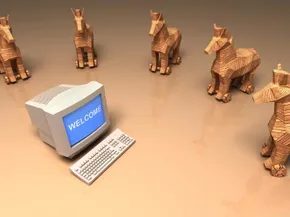
You have likely heard the term Trojan horse in a tech context. It is not a myth. It is a specific type of malware. The name comes directly from the ancient tale. Just like the wooden beast, these programs appear as something harmless. Or even something desirable. A game. A cracked software. A free PDF.
Once you install it, the trap springs.
Unlike a virus, a Trojan horse does not replicate itself. It does not jump from file to file by attaching to them. That is a key distinction. A virus needs a host to spread. A Trojan is a standalone program. It relies on you, the user, to invite it in. You download it. You click “install.” You give it permission.
Once inside, the damage begins. These programs can steal sensitive data. They can send your passwords, banking details, and personal files over the internet to the attacker. The developer gains control. They can slow your system to a crawl. They can force your machine to crash. They can turn your computer into part of a botnet, using your resources to attack other targets.
Why the confusion in naming?
People often call them “Trojan horse viruses.” Or just “Trojan viruses.” This is technically incorrect but widely accepted. The confusion stems from the similar effect. Both viruses and Trojans harm your system. Both require you to execute them. But the mechanisms differ.
A virus hides in a legitimate program. When you run that program, the virus activates. It spreads. A Trojan is the program. You run it. It reveals its true purpose. The malware is not hiding in the background. It is the background.
Why does this distinction matter? Because prevention strategies differ. With viruses, you need to stop the spread. With Trojan horses, you need to stop the initial deception. You need to vet the source. You need to question the offer. If it seems too good to be true, it is likely a trap.
How do these programs get in?
The question is not just what they are. It is how they bypass your defenses. The answer is simple. Social engineering.
Attackers do not hack your firewall. They hack your curiosity. They send an

You’re the one who unlocks the door. That’s the first rule of Trojan horse infections. Unlike worms that punch through walls or viruses that hitchhike on other code, a Trojan needs you to hand it the keys. You have to install the server side of the application. This usually happens through social engineering—the attacker tricks you into downloading what looks like legitimate software. Or they slip it into an email attachment. You run the .exe file. That’s the mistake. The Trojan doesn’t spread on its own. It waits. Once you execute it, the server installs itself and starts running automatically every time you boot up. It’s silent. It’s persistent. And it’s entirely dependent on your consent, even if that consent was obtained through deception.
The Email Trap and Zombie Networks
Email attachments remain the primary vector for these infections. Attackers use spamming techniques to blast hundreds, sometimes thousands, of messages to unsuspecting targets. Open the message. Download the attachment. Infect the system. It’s a numbers game. They don’t need to target you specifically; they just need one click to turn your machine into an entry point.
But the threat doesn’t stop at the individual user. If your computer is already compromised, it can become a weapon itself. Crackers —hackers focused on mischief or damage—can deploy Trojans that turn ordinary PCs into zombie computers. You rarely know your system is under external control. These zombies are then used to send out more malware, creating massive networks known as botnets. Your idle CPU cycles, your bandwidth, your IP address—all of it is hijacked to attack others.
Defense: Prevention and Removal
Protection starts with skepticism. Never open emails from unknown senders. Delete suspicious attachments immediately. Don’t verify out of curiosity. If you aren’t expecting it, it’s likely malicious. Beyond basic hygiene, installing reputable antivirus software provides a critical layer of defense. It scans every downloaded file, even those from contacts, flagging anything that looks out of place.
If you suspect infection, act fast. Disconnect from the internet immediately to stop data exfiltration and further propagation. Use your antivirus to remove the malicious files. In severe cases, a full operating system reinstall may be the only clean solution. Don’t hesitate to contact the manufacturer, a local IT shop, or a tech-savvy friend if you’re stuck.
Removing a Trojan Virus
Yes, you can remove a Trojan. The process requires a few specific steps:
1. Uninstall any suspicious programs you recently installed.
2. Manually delete suspicious files if you know their location.
3. Run a full system virus scan to detect and quarantine the remaining Trojan components.
“The easiest thing to do is to never open any e-mails or download any attachments from unknown senders.”
For deeper dives into how these threats operate, check out guides on How Computer Viruses Work, How Firewalls Work, and resources on fixing Zombie Computers. The landscape of digital security is constantly shifting, but understanding the mechanics of the attack is the first step toward staying ahead of it.