It started as a simple rebellion. A better, faster, less bloated alternative to the standard Windows Notepad. Years later, Notepad++ hasn’t just survived; it has become the default choice for millions of developers who refuse to pay for an editor. It is open-source. It is free. And it works.
The software handles everything from C++ to HTML, Python to PHP. You drag in a file. The syntax highlights instantly. The interface stays out of your way. That is the core appeal. It is lightweight, customizable, and gets out of the way so you can write code without fighting the tool.
The Power of Extensibility
Most text editors are static. Notepad++ is modular. Its strength lies in its plugin architecture. The base install is lean. You add what you need.
This is where the community shines. Thousands of plugins exist. Need syntax comparison? There is a plugin. Want to compile directly inside the editor? There is a plugin. Want Git integration? There is a plugin. You are not stuck with a rigid workflow. You build it.
This flexibility attracts everyone. Students learning their first loop. Teachers grading scripts. Professional developers debugging production code. The barrier to entry is low. The ceiling for customization is high.
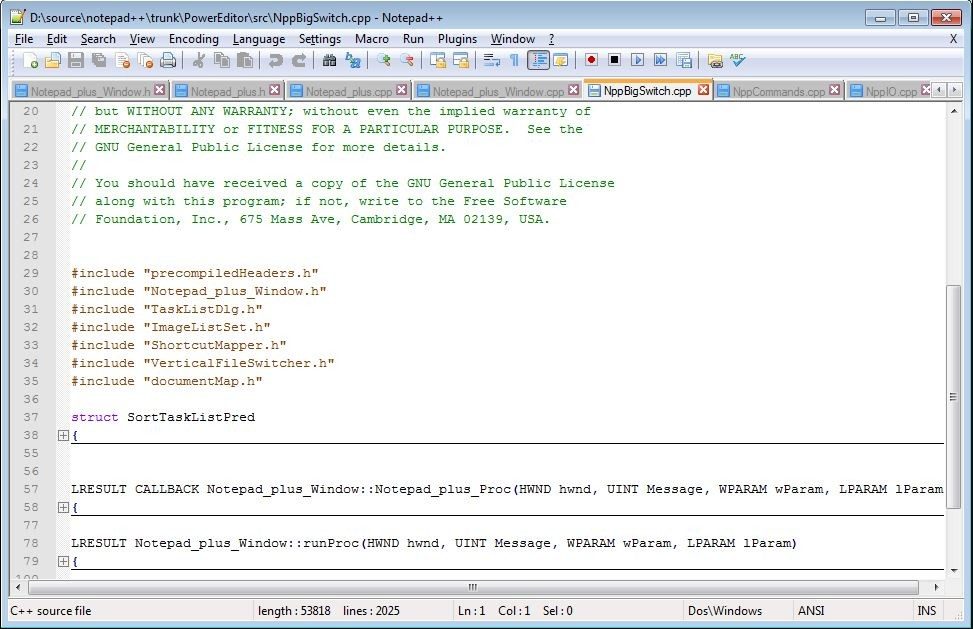
Notepad++ distinguishes itself by managing a wide range of programming languages while maintaining an ergonomic, customizable, and lightweight interface.
Privacy matters here too. The developers behind the project have made a conscious choice. No intrusive ads. No tracking. No data collection. You download it. You use it. It does not sell your habits. For users wary of telemetry, this trust factor is non-negotiable.
Where and How to Get Notepad++
If you want to install Notepad++ safely, you must go to the official site. Third-party download portals are a minefield of bundled malware and fake installers. The official source is the only reliable path.
Compatibility is broad. The software supports 32-bit and 64-bit Windows architectures. It even runs on ARM-based devices. This covers almost every machine in circulation, from legacy office PCs to modern laptops.
For IT professionals or travelers, the portable version is essential. It runs directly from a USB drive. No admin rights required. No registry changes. Plug it in. Run it. Unplug it. Leave no trace. This is ideal for locked-down corporate environments or public computers.
Installation and Version Control
The installation process is straightforward. Download the executable. Run it. Follow the wizard. You can choose the destination folder. You can select which components to include. It is quick. It is predictable.
System requirements are minimal. It runs on Windows 7, 8, 10, and 11. It does not need a beefy GPU or massive RAM. It just needs a working CPU and a display.
Updates are frequent. They bring security patches. They fix bugs. They add features. But what if you need an older version? Maybe your legacy script only works with a specific plugin from three years ago. Maybe your team standardizes on a particular build.
Notepad++ keeps old versions available for download. This is a rare and valuable feature. Most modern software forces you forward. Here, you can step back if necessary.
The Bottom Line
Notepad++ is not flashy. It does not have AI autocomplete. It does not sync with the cloud out of the box. It is a text editor. A very good one.
It respects your time. It respects your privacy. It respects your hardware.
In an era of bloated, cloud-dependent IDEs, there is a strange comfort in a tool that just opens a file and lets you type. The question is not whether it has enough features. It is whether you can live without them.
Let’s be honest. The market is flooded with code editors.
Some are bloated monsters. Others are half-baked experiments.
Notepad++ sits in a weird, wonderful middle ground. It isn’t trying to be your entire IDE. It doesn’t want to be Visual Studio Code with a thousand extensions you don’t need. It wants to be fast. Clean. Effective.
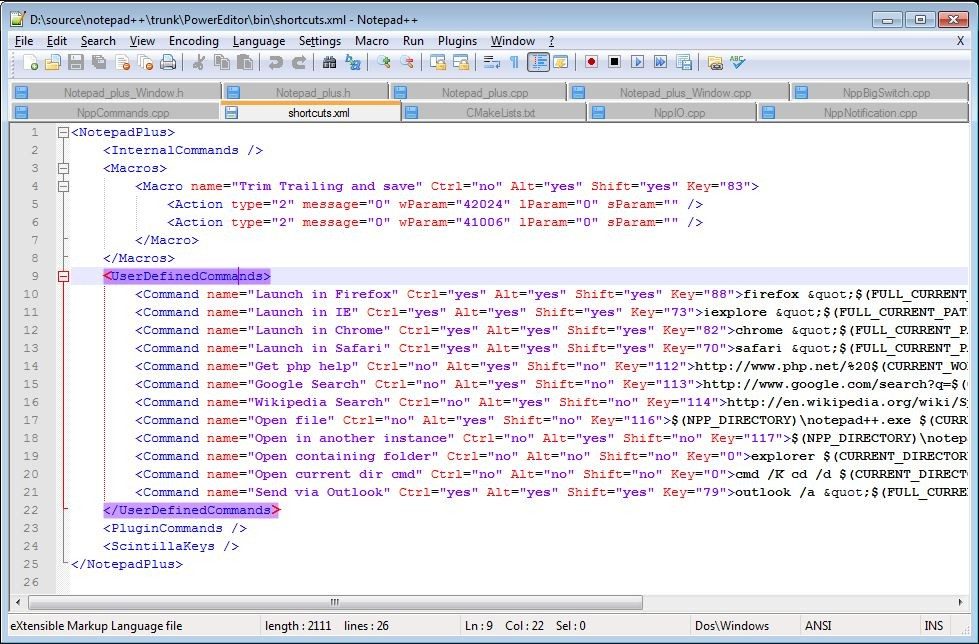
While VS Code throws the kitchen sink at you—project management, integrated terminals, debugger hooks—Notepad++ strips it back. You get syntax highlighting. You get multi-tabbing. You get auto-completion. That’s it. And that’s why people still use it.
Notepad++ vs. the Giants: Where It Fits
If you are looking for how Notepad++ compares to Visual Studio Code, the answer is weight.
VS Code is an ecosystem. Notepad++ is a tool.
The native Windows Notepad? Useless for serious work. It’s a digital sticky note. Notepad++ upgrades that into a proper coding environment without the bloat.
Then there’s the license. This is where Notepad++ really shines. It is completely free. Open source. No premium tiers. No “pro” version you have to subscribe to. No freemium traps.
You want the full feature set? It’s there. Today. For free.
The Platform Problem
Here is the catch.
It is a Windows child.
If you are on macOS or Linux, you are out of luck officially. Sublime Text? Cross-platform. Atom? Cross-platform (RIP). Notepad++? Only Windows.
You can force it to work on other systems using Wine. It works. Sort of. But don’t expect a native experience.
What about mobile?
No official app. None. You will find clones in the App Store or Play Store, but they are third-party inspirations, not the real deal. If you need to edit code on an iPad, you are looking elsewhere.
Is It Safe and Up-to-Date?
Security concerns are real.
Good news: Notepad++ does not spy on you. No adware. No data harvesting. It respects your privacy in a way that feels almost radical these days.
Updates are handled internally. You can check for new versions directly from the Help menu. Or download the latest executable from the official site. It is straightforward.
File safety is another big one.
Auto-save? Yes. Recovery after crashes? Yes. History management? Yes.
You don’t have to panic if your system hangs mid-edit. Notepad++ has your back.
Who Teaches It?
You won’t get a Notepad++ certification from Microsoft. Or Oracle. Or Google.
The software itself does not offer formal training.
But the community does.
YouTube. Blogs. Forums. You can find tutorials on everything from basic text editing to writing your own plugins. It is niche, sure. But if you are in IT, you will find plenty of resources. Many e-learning platforms include it in advanced office suites or developer bootcamps.
The Verdict
It is not perfect.
It lacks the polish of modern web-based editors. It looks a bit dated. It doesn’t run on your phone.
But for what it does?
It is hard to beat.
If you need to quickly edit a config file. Write a script. Or just have a lightweight editor that doesn’t consume 4GB of RAM on startup.
Notepad++ is the choice.
Simple.
Fast.
Free.
And still relevant.
Let’s talk about the nuts and bolts. Before you click download, check the technical specs. This isn’t just bureaucracy. It’s about picking the right version for your machine.
You have two main paths. The classic installer. Or the portable ZIP. One installs system-wide. The other lives in a folder without admin rights. Both work. The choice depends on your workflow.
Notepad++ is strictly Windows. It ignores macOS. It ignores Linux. If you are on a Mac, you need something else. But for Windows users, it’s a staple.
Compatibility and system requirements
The software runs on Windows 7 through Windows 11. That covers most modern desktops. It supports 32-bit and 64-bit processors. It also supports ARM64 via Windows on ARM. This means it runs on Snapdragon-based laptops too.
Don’t worry about hardware. There are no strict minimums. It runs on a potato. And by potato, I mean a standard PC. It doesn’t eat up RAM. It doesn’t lag. It just opens.
Editions: Installer vs. Portable
Which edition do you need?
If you’re deploying this across an office, use the installer. It’s stable. It’s persistent. It updates cleanly.
If you’re on a restricted machine, use the portable version. It’s a ZIP archive. Unzip it. Run the EXE. It leaves no registry keys. It leaves no traces. Perfect for USB drives or temporary workstations.
Language and interface
The interface is multilingual. English is default. French is available. Many other languages follow. You can switch them in the settings.
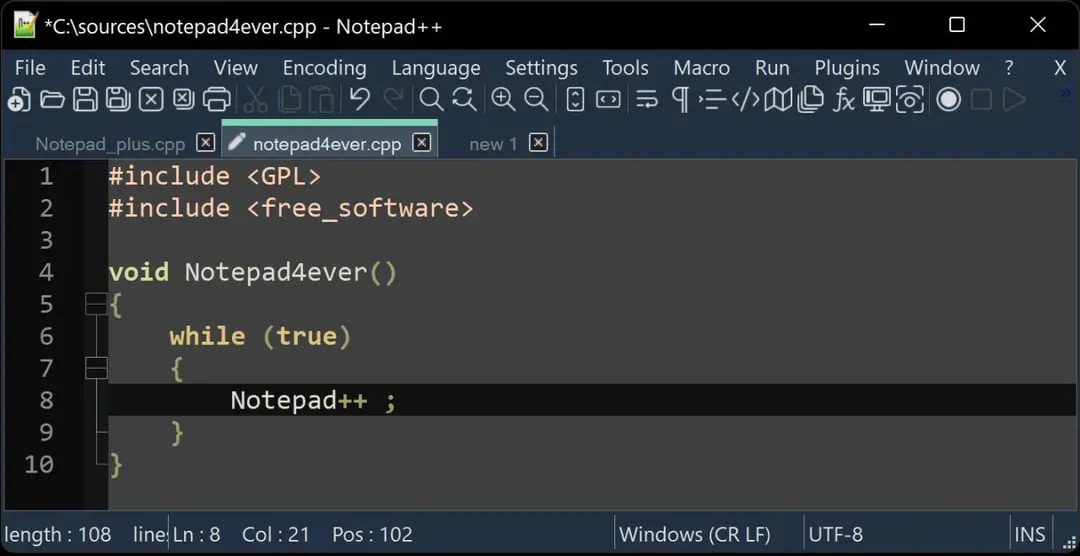
The UI is tabbed. Multiple files in one window. That’s standard now. But Notepad++ did it before it was cool. You can theme it. You can customize the display. It’s not pretty by default. But it’s functional.
Encoding support
This is where developers care. Notepad++ handles encodings. A lot of them.
- ANSI
- UTF-8
- UTF-8 with BOM
- UTF-16 LE/BE
It also auto-detects. This is crucial. You download a file from a Japanese server. It looks like garbage in your editor. Notepad++ detects UTF-8. It renders correctly. No manual conversion needed.
Core features and plugins
The core features are heavy. Syntax highlighting is built-in. Code folding is there. Regex search and replace works. Macros record your actions. Auto-completion suggests your next move.
But the real power lies in extensions. The plugin manager is integrated. You don’t need to hunt for DLLs. You click a menu. You select a plugin. You restart. Done.
You can also install plugins manually. Drag and drop. It’s flexible.
Privacy and source code
There is no telemetry. There is no ads. This is open source. GNU GPL license. Don Ho and his team built it. The code is public. You can audit it. You can trust it.
For offline use, you don’t need internet. You need internet for downloads. And for plugin updates. Otherwise, it works in a vacuum.
So, match your architecture. Pick your edition. Install the plugins you need. And you’re ready to code. Or just edit text. It doesn’t matter. It works.
The Hidden Cost of Convenience
Most people don’t realize they’re paying for the privilege of their own data. The free apps on your phone aren’t free. They’re selling you.
The business model is simple. Build a useful tool. Then monetize the attention it captures. Or worse, sell the behavioral profile it builds. You get a discount. They get a dividend. It’s a fair trade until it isn’t.
When you skip the subscription fee, you become the product. Every click. Every hover. Every pause before a purchase. It all gets logged. Then packaged. Then sold to the highest bidder.
This isn’t a conspiracy. It’s standard operating procedure.
How Dark Patterns Manipulate Choice
You’ve seen them. They’re designed to make leaving hard. Making it easy to stay is the goal.
These are called dark patterns. They look like helpful nudges. They’re actually traps.
One common trick is the roboform of subscription cancellations. Signing up takes seconds. Canceling requires a phone call during business hours to a call center in a different time zone. Or navigating a labyrinth of nested menus that hide the exit button.
Another is misdirection. The “Decline” button is gray and small. The “Accept” button is bright blue and huge. Your brain defaults to the path of least resistance. You click. You buy. You regret.
Why does this matter? Because it erodes agency. You think you’re making a choice. You’re actually being herded.
Privacy Settings: A Game of Hide and Seek
Companies know this. They know users don’t read terms of service. So they bury the truth in legalese.
But there are ways to push back.
First, audit your permissions. Why does a flashlight app need access to your contacts? It doesn’t. Turn it off. Immediately.
Second, use Incognito mode or private browsing. It won’t make you invisible. But it stops your browser from saving your history. It breaks the link between your identity and your curiosity.
Third, opt out where possible. The CCPA in California and GDPR in Europe give you legal teeth. Use them. Click “Do Not Sell My Personal Information.” It’s a small act. But it’s a declaration of war on data brokers.
The Future of Digital Autonomy
We’re heading toward a more fragmented web. A web where trust is scarce. Where privacy is a premium feature.
You’ll pay more for services that don’t spy. Or you’ll pay with your data. The choice is yours. But it’s not always clear.
Until regulations catch up, you’re on your own.
Stay skeptical. Stay curious. And always check the fine print.