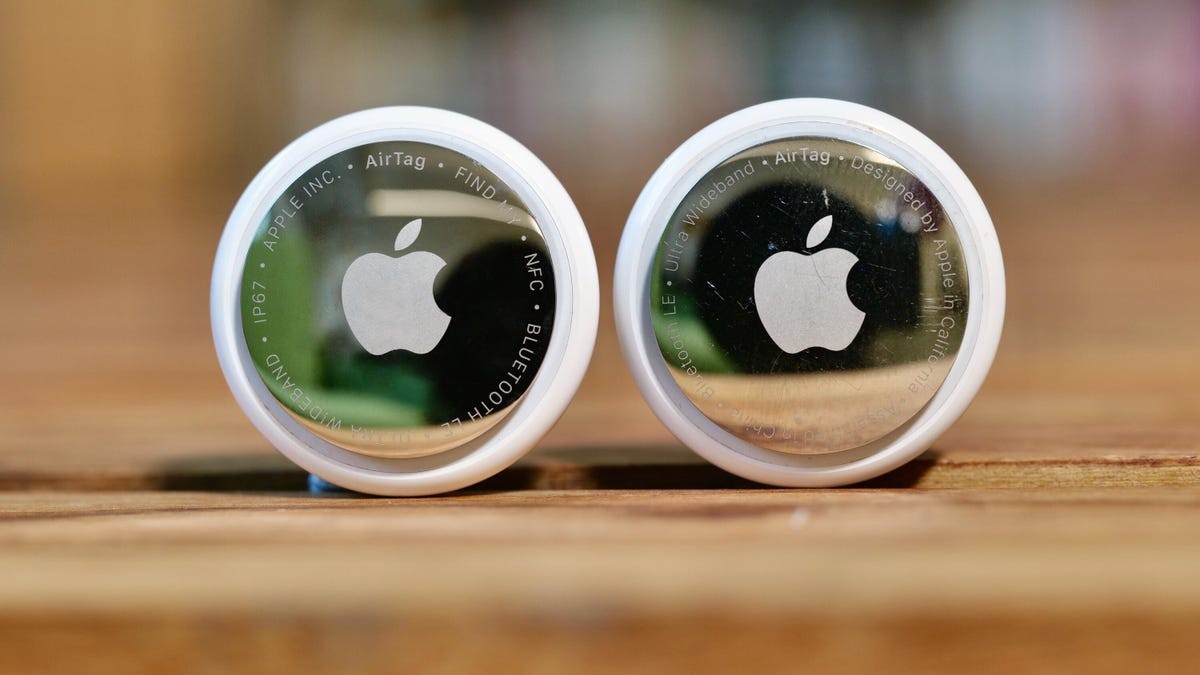
While Apple AirTags are incredibly useful tools for locating lost keys or luggage, their small size and long battery life have also made them a potential tool for stalking and unauthorized monitoring. Because these devices rely on the massive “Find My” network to report their location, a misplaced AirTag can provide a person with real-time updates on your movements without your consent.
Fortunately, both Apple and Google have collaborated to create industry-wide standards that alert users to suspicious tracking behavior, regardless of whether they use an iPhone or an Android device.
How AirTag Detection Works
Apple has implemented several layers of defense to help users identify trackers that aren’t theirs. These include:
- Audible Alerts: If an AirTag is separated from its owner for a certain period, it will begin to emit a sound. Recent updates have shortened this window from three days to between 8 and 24 hours.
- Hardware Improvements: The second-generation AirTag is 50% louder than the original, making it easier to hear, and the speaker is more difficult to remove, preventing bad actors from silencing the device.
- Cross-Platform Alerts: Thanks to a partnership with Google, Android users can now receive notifications if an AirTag is being used to track them.
How to Set Up Your Defenses
To ensure your phone can actually warn you when something is wrong, you must have specific settings enabled. If these are turned off, your device may remain silent even if a tracker is following you.
Essential Settings Checklist
To receive “unwanted tracking” notifications, ensure the following are active on your iPhone (iOS 14.5 or later):
- Location Services: Go to
Settings>Privacy & Security>Location Servicesand turn it On. - Find My iPhone: Go to
Settings>[Your Name]>Find Myand ensureFind My iPhoneis On. - Bluetooth: Go to
Settings>Bluetoothand toggle it On. - Notifications: Go to
Settings>Notifications, scroll to Tracking Notifications, and toggle Allow Notifications to On.- Note: Ensure Airplane Mode is turned off, as this will block incoming alerts.
What to Do if You Receive an Alert
If your phone displays a message such as “Unknown tracker alert” or “Item detected near you,” do not ignore it.
1. Locating the Device
Tap the notification and select Play Sound or Find Nearby. This will use your phone’s sensors to help you pinpoint the exact location of the tracker. If you cannot find it immediately, check your bags, coat pockets, or the immediate area around you. You can also review these alerts later in the Find My app under the Items tab by selecting Items Detected With You.
2. Identifying the Owner
Once you find the tracker, hold the top of your iPhone near it. A notification will appear that, when tapped, provides details such as the device’s serial number and the owner’s last four digits of their phone number or a blurred email address.
3. Disabling the Tracker
If you believe you are being monitored, take a screenshot of the owner’s information for evidence. To stop the tracker immediately:
* Press down on the back of the AirTag.
* Turn the cover counterclockwise to remove it.
* Remove the battery.
A Note on “False Positives”
It is important to stay calm: these alerts are not always a sign of malice. In high-density areas like airports, trains, or crowded buses, your phone may trigger an alert because you are simply standing near someone else who has an AirTag in their pocket. However, it is always safer to investigate a notification than to dismiss it.
⚠️ Safety First: If you suspect you are being tracked by someone you know—particularly in the context of domestic abuse—prioritize your physical safety. Before disabling a device, ensure you have a safe place to go. Contact local law enforcement or reach out to the National Domestic Violence Hotline at 800-799-SAFE (7233) for assistance.
Summary: While AirTags can be misused for stalking, you can protect yourself by enabling tracking notifications and staying vigilant. If an alert occurs, use the Find My app to locate the device, document the owner’s info, and disable the tracker by removing its battery.