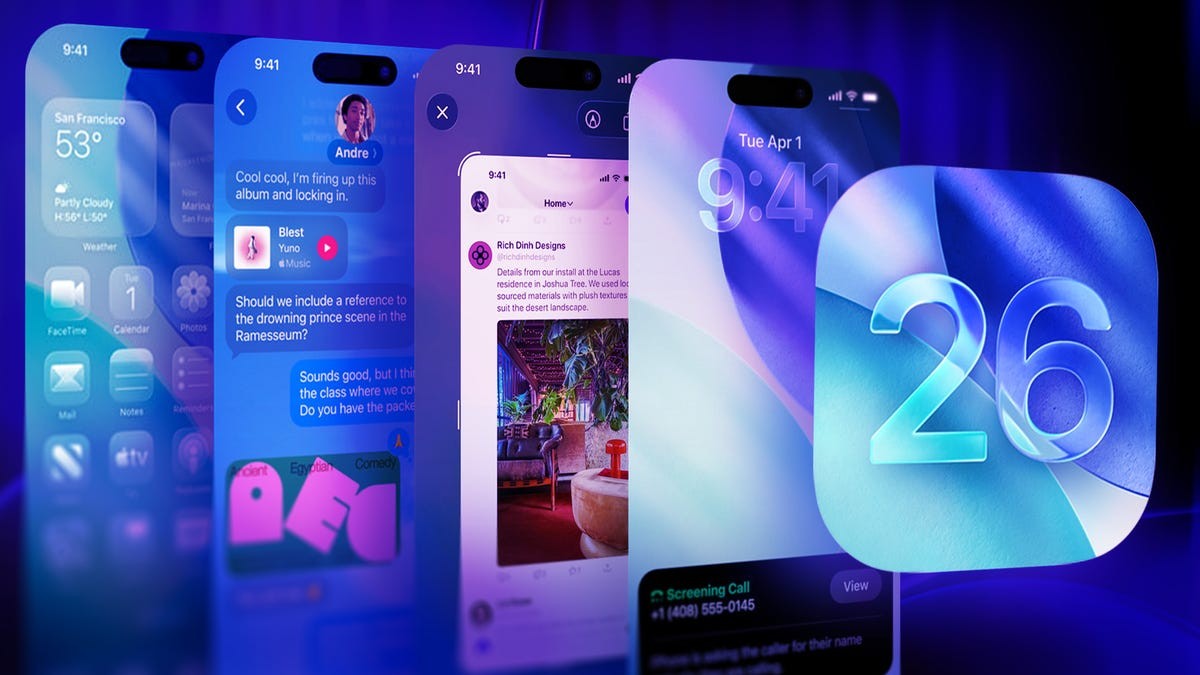
Apple’s iOS 26, released in September, introduced significant improvements to iPhone lock screen customization. These changes, while incremental, offer users greater control over the look and feel of their devices. The update focuses on three key areas: clock size adjustment, widget dock repositioning, and the addition of spatial wallpaper effects.
Expanding Clock Visibility
The most noticeable change is the ability to resize the lock screen clock. Previously fixed, users can now expand the clock to occupy a larger portion of the screen, making it easier to view the time at a glance, even without glasses. The adjustment is simple: navigate to Settings > Wallpaper, select Customize under your desired lock screen, and drag the clock’s bottom-right corner to expand it. Users can also customize the clock’s style (Glass or Solid) and color, though font options remain limited for now.
This change addresses a common usability issue: quickly checking the time without fully waking the device. It’s a practical improvement for those who use their phones as bedside clocks or prefer larger, easier-to-read displays.
Widget Dock Repositioning
iOS 26 also allows users to move the lock screen widget dock. The dock, previously fixed near the bottom, can now be repositioned slightly higher. This adjustment is made in the same Settings > Wallpaper > Customize menu by dragging the dock itself. Note that expanding the clock will automatically force the widget dock to the bottom of the screen, limiting placement options.
This flexibility might seem minor, but it reflects a broader trend: Apple is gradually loosening control over iOS customization, responding to user demand for more personalization.
Immersive Spatial Wallpapers
Another key feature is the addition of spatial wallpaper effects. These effects add depth to photos and create a 3D-like appearance, making elements appear to pop out from the screen. The effect is dynamic, shifting slightly as you move the phone. To enable this, tap the hexagon icon in the Settings > Wallpaper > Customize menu.
However, spatial scenes currently work only with personal photos, not Apple’s pre-loaded wallpapers. This limitation suggests that Apple may expand support in future updates.
Gradual Customization and Future Trends
Apple’s approach to lock screen customization is evolutionary rather than revolutionary. Each iOS update incrementally adds new options, slowly giving users more control over their devices. The changes in iOS 26, while not groundbreaking, represent a clear trend towards greater personalization.
These updates demonstrate that Apple is listening to user feedback and addressing practical concerns, such as visibility and usability. While further improvements—like expanded font options and more flexible widget placement—are likely, iOS 26 marks another step towards a more customizable iPhone experience.