


WinLAME has created a special niche in the audio software market. This is more than just a converter. This is a bridge.
The core of the software is based on the LAME project. This is the gold standard for MP3 encoding. LAME specializes in psychoacoustics. It optimizes processing speed. It preserves fidelity. WinLAME packs this raw power into an interface that doesn’t resemble a 1995 command line. Its design is very intuitive.
For beginners, this is important. It provides a safety net for professionals.
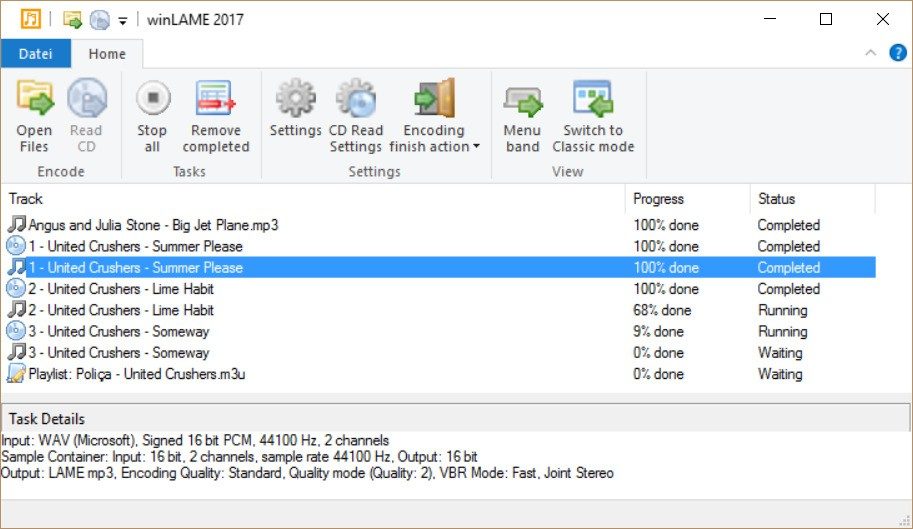
This tool democratizes what was once difficult to understand. Bitrate control. sampling frequency. VBR (variable bit rate) settings. These knobs determine whether the MP3 sounds sharp or muddy. WinLAME pre-configures these settings. It doesn’t just spit out files. It teaches you why those settings exist.
“WinLAME positions itself as an educational tool, not just a practical converter.”
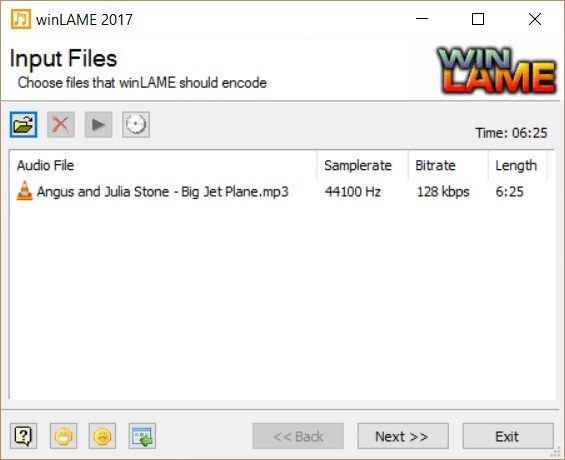
This is the difference with free online converters. These tools retrieve files. They ignore this process. WinLAME guides you through the process. Document all options. Learn about the effects of choosing 192 kbps and 320 kbps. That is why it is popular in music schools. It is used by teachers who want their students to understand digital audio compression. It’s free. There are no hidden fees. No watermark. It’s just an important gateway to modern audio processing.
Windows support and installation information
Requires Windows.
This is a hard limit. WinLAME supports classic Microsoft lineage. Windows XP. Vista. 7. 8. 10. 11. Designed for backward compatibility. It may still work on machines that are considered to be from 2012.
There is a portable version of it.
This is important for IT staff and non-administrator users. The portable version works from a USB drive. No installation required. There are no registry changes. You plug it in. You run the executable. Encode the file. You unplug. It’s clean.
You can start smoothly.
Download archives from trusted sources like Futura. Run the installer. A guided wizard will guide you. Include dependencies. No need to search for DLL files. Keep your operating system up to date. Ensure stability.
What about Mac, Linux or mobile devices?
If you’re running macOS, Linux, or Android, you’re out of luck.
Not directly.
WinLAME is built on the Windows ecosystem. There are no native Mac apps. There is no binary in Linux. There is no iOS or Android client. If you need to encode MP3 files on your Mac, consider alternatives like Audacity or ffmpeg.
There is a solution for Linux users.
You can try running WinLAME through Wine. This is the emulation layer. Sometimes it works. It doesn’t work always. Stability varies by distribution. You might deal with crashes. You might deal with audio glitches. This is gambling.
There is no official support for mobile devices. There are no WinLAME apps in the App Store or Play Store.
This leaves a gap.
If your workflow is cross-platform, WinLAME is a dead end. This is a Windows-centric tool. It’s a powerful thing. But if you’re in the Apple camp or the mobile camp, it’s a dead end. You should use other solutions suitable for these environments.
This software remains a strong educational pillar for Windows users. It doesn’t try to be everything to everyone. We are working hard to become the best MP3 encoding teacher on Windows. As for that job, I succeeded.
It depends on your hardware whether this is enough for your needs.

WinLAME remains true to the open source roots of the original LAME project. Downloading is free. No paywall. No premium tier. Provides raw audio encoding capabilities for students, teachers, and professionals who need audio processing without spending a dime. This applies to both the regular installer and the portable version. Full access to advanced analysis and transformation tools. Zero financial barrier.
The license is almost always GNU GPL. This means you can use, modify and redistribute the code as long as you follow these terms. Transparency is baked into the DNA. It encourages community contributions. The result is software that responds to changing technologies and user needs. There are no hidden fees. There are no “professional” upsells. Academic institutions can incorporate this into their courses without worrying about legal issues or license fees.
Select the correct version
You may see references to older versions. This is usually because certain legacy systems or older hardware require them. If you need an older version, the best options are the community repositories or the official project website. But why settle for yesterday’s technology?
The latest version brings real benefits. Security patches. Performance optimizations. Bug fixes. If you need to upgrade an existing installation, don’t just replace it. A full uninstall first is safer. This prevents module conflicts between old and new versions. Clean slate every time.
Why WinLAME is important for audio encoding
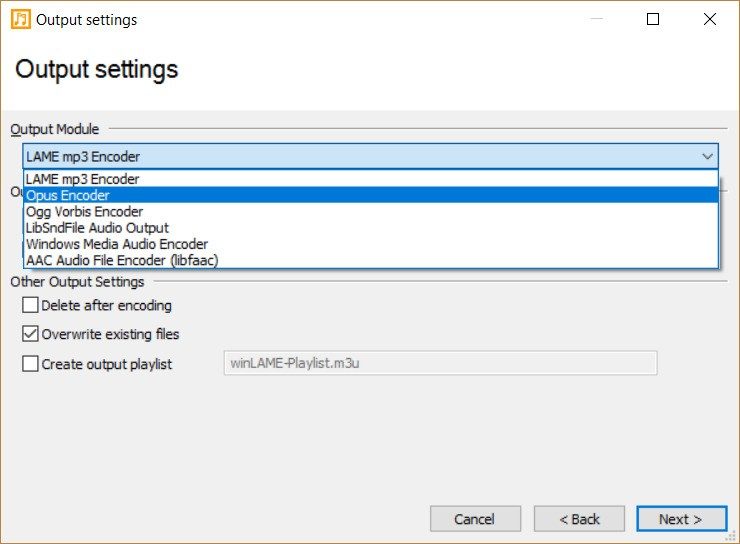
In addition to basic MP3 encoding, WinLAME can handle various input and output formats. It is flexible. You can rip CDs. Create a podcast. Archive music collections. The software allows you to choose your own compression ratio. Alternatively, you can use presets designed for specific use cases. Think of a portable music player. Or web streaming. This adaptability makes it suitable for educational and professional workflows.
The documentation is surprisingly detailed. The built-in help does more than just list menu options. Explains psychoacoustics. Read more about the effect of each parameter on sound quality. This tutorial helps users to understand how to reduce file size without losing fidelity. Many schools use WinLAME to teach the principles of digital transformation. They cover dynamics management. Signal-to-noise ratio. It turns a utility into a classroom tool.
You get support without customer service
There is no commercial helpline. No 24/7 chat bot. WinLAME relies on the community. Active forum. User-written guides. Technical troubleshooting threads. If you have a question, someone has probably already answered it. These resources are broad enough to cover common problems and provide optimization tips.
For those who want to dig deeper, the project invites contribution. You can join the forums. Follow the development. Participate in the open source ecosystem. This collective effort keeps WinLAME standing out. It is not just a tool. It is the reference point in the field of educational audio software. The community drives the longevity.
Is it perfect? Maybe not. But it still has its place in free and open source audio encoding. The lack of corporate support is actually a strength of the company. It belongs to the users. And that matters.

Why WinLAME is still important for Windows audio users
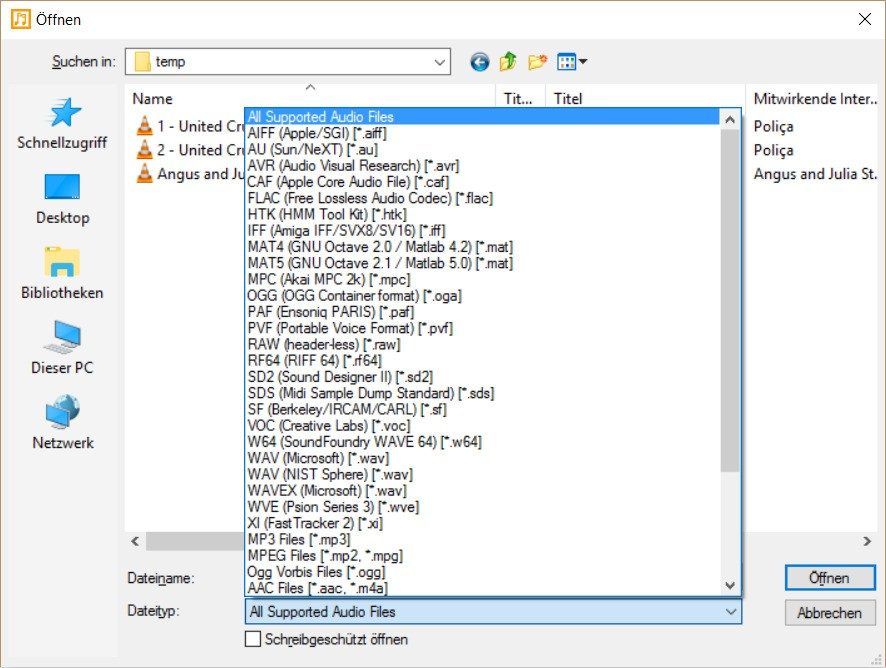
Download the audio file. You want to reduce it. Or maybe you need to be compatible with your 2008 car stereo. LAME has been the gold standard for MP3 encoding for many years. It’s not flashy. This is not a subscription service. It just works. WinLAME is a Windows user interface that allows you to use the engine without having to type commands into a black box. Remove the noise.
If you run a lab, teach a course, or convert audio albums on a bunch of dusty old computers, this is the tool for you. Not much is being asked. It doesn’t ask for permission every time you open a file. It’s free. It is open source. Works with Windows XP – Windows 11 operating systems.
Technology stack behind the user interface
Basically, WinLAME isn’t doing the heavy lifting for you. This is the front end. This is your window to LAME. This is important. LAME is the reference engine for MP3 encoding. This background has been optimized for decades. WinLAME only offers sliders and buttons.
Because of this separation, the software remains lightweight. It doesn’t bloat your system. It uses standard Windows codecs for input formats such as WAV and PCM. When it comes to output? This is where LAME takes over. Handles MP3 creation accurately.
“When you install or uninstall WinLAME, it does not require an internet connection to run.”
This last point is important for IT staff in constrained environments. Or for teachers in schools where Wi-Fi is unreliable. No network handshake is required to convert FLAC folders to MP3. All you need is the executable file.
Hardware and compatibility reality check
Let’s see how it works. No game equipment is required. An ordinary PC with average resources works fine. This architecture supports 32-bit and 64-bit systems. This covers most older and modern Windows computers.
The distribution methods are equally flexible. If you want it in your program files, get a separate installer. Alternatively, you can get a portable archive. Insert it into a USB drive. Connect to a public information kiosk, library computer or customer computer. Run it. Leave no trace. No registry keys. No clutter.
Encoding mode and metadata management
What can it actually do with the audio? It handles the three main LAME modes:
- CBR (constant bit rate). Predictable file size. Suitable for media streaming where bandwidth is limited.
- VBR (Variable Bit Rate). Smarter encoding. Use more bits for complex passages and fewer bits for silence. Better quality per megabyte.
- ABR (Average Bit Rate). A middle ground. Targets an average rate, but we allow some variations.
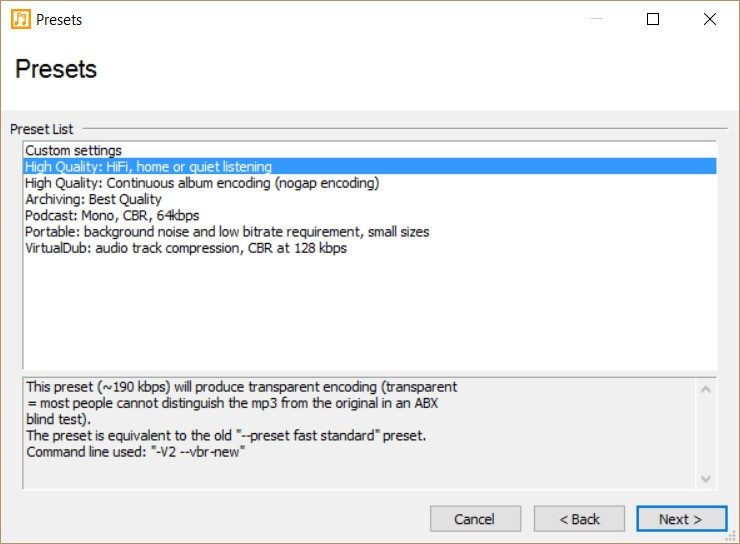
The software includes preset profiles. These aren’t magic buttons, but they are good default settings. They balance fidelity against file size. It can be adjusted. But it doesn’t have to be.
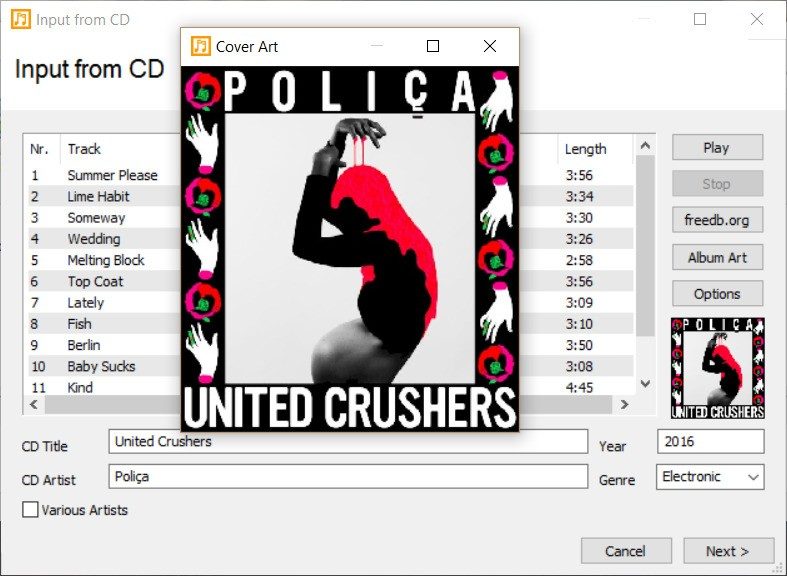
Metadata processing is also an excellent area. It writes and edits ID3 tags. Versions 1 and 2 are supported. Album art? Track titles? Artists? Everything is there. You don’t have to guess what your files will look like on your player.
Advantages of open source
Why does this matter in 2024? Because software rot is real. Proprietary audio converters are outdated. They stopped updating. They break on new Windows versions.
WinLAME is licensed under the GNU GPL. It is free software. The source code is available. If the main development slows down, others can fork it. It won’t disappear with a paywall or a sudden acquisition.
Support is provided through documentation and community forums. Not a 24/7 call center with quarterly pricing tiers. This is a tool for people who know what they are doing. or



The cost of complexity in modern systems
The initial investment is more than just purchasing a server. It’s about an invisible maintenance tax. Each layer of abstraction adds new points of failure. Do you believe that automation can save you time? Just move the bottleneck to another queue.
The real problem is not technical debt in the traditional sense. It’s organizational debt. Teams are siloed. DevOps promises to break down walls. In reality, they often just created new, more expensive ones. If the platform team merges with the security team, who is responsible for latency spikes? No one. Everyone blames the network.
“Complexity doesn’t scale. It explodes.”
This is not a hypothetical scenario. This is the daily reality for mid-sized SaaS companies trying to compete with giant companies with infinite engineering headcount. The tools are there. The documentation is very comprehensive. But the context is missing.
Why microservices often backfire
We spent a decade breaking down huge applications into smaller services. The logic of independent deployment and independent scaling makes sense. What about reality? Distributed tracing becomes a nightmare. Debugging a transaction that hops across twelve containers is not debugging. This is archaeology.
Latency is more than just a number. It’s a user experience killer. Each jump adds milliseconds. These milliseconds add up to churn. Customers don’t care about architecture. They care if the page loads before they lose interest.
Consider trade-offs. You gain resilience. Simplicity is lost. For many applications, this is a bad deal. A well-tuned monolithic architecture can perform better than a poorly coordinated microservice mesh. Always.
The hidden work of DevOps
DevOps is not a role. It’s a mindset. However, the company treats it as a job title. They hire “DevOps engineers” and expect them to magically fix their pipelines. The pipeline doesn’t break because the engineer is tired. It breaks because infrastructure as code is messy.
Manual intervention is the enemy. Yet, they persist. Why? Because it’s hard to automate. It’s easier to click a button in the console than to write a script to handle edge cases. However, these special cases accumulate. These become technical debts that keep engineers up at night.
Let’s look at the tools. Kubernetes is powerful. It is very heavy. It demands resources. It demands expertise. Without this expertise, you are building on sand.
Where old systems still win
Don’t forget the old guard. COBOL runs the world’s banking systems for a reason. it works. It’s predictable. No need to update quarterly to prevent memory leaks.
The modern framework guarantees agility. They often deliver fragility. Python scripts can be faster to write. But can it handle 10,000 concurrent requests without crashing? Probably not. This is not to say that no major changes have been made.
The choice is not necessarily new or old. It’s all about fit. Some problems require C++ precision. Others need Go speed. Using Java for a simple CRUD API is overkill. Using SQL with unstructured data is a mistake.
What this means for your stack
Stop following trends. If your data model is broken, modern frameworks can’t save you. Focus on the basics.
- Observability is more than just logging. Understand the “why” behind the error.
- Scaling are more than just adding


