Needs protection. Maybe you have an old computer that is still gathering dust in your closet. Or maybe you’re just worried about ransomware attacking daily driver. 360 Total Security tries to fill this gap. This is a free security package regardless of whether you have Windows 11 or Windows XP. The last product is ancient history for most vendors. It still works here.
The software supports several operating systems. This article covers Windows XP, Vista, 7, 8, 10, and 11. macOS is also listed. It’s more than just putting a logo on the download page. The engine adapts. It recognizes the architectural differences between modern Macs and legacy Windows machines since 2009 and strive to provide a consistent user experience regardless of platform.
Why is this important? Because Microsoft stopped supporting Windows XP and Vista years ago. Security patches are no longer installed on these machines. They are sitting ducks. 360 Total Security steps in. It provides to proactively protect and optimize devices abandoned by technology giants. You have the safety net for legacy systems.
Windows and macOS support explained
Although the compatibility list is extensive, there are strict limitations. Targeted at desktop and laptop users. Mobile users are excluded. There is no Android version. There is no iOS version. There is also no Linux port. Only computer screens can be used.
Windows focuses on two things: protection and optimization. Even if your operating system doesn’t receive updates from Redmond, your software will continue to work. It treats every environment according to your specific requirements.
macOS handles things differently. Get the essential cybersecurity features you need. However, the optimization tool may look different. Apple’s architecture dictates this approach. You don’t get the exact same cleanup tools you get for Windows. It’s adapted. It’s not the same. But it works perfectly.
The philosophy here is multipurpose. This is more than just antivirus software. This is a toolbox. Anti-virus measures. Firewall. Web protection. System cleaning. All in one package.
Downloading and ease of use
You can download it for free. This is the hook. But the interface doesn’t feel cheap. Ergonomically designed. Designed for beginners who don’t want to read the manual. Advanced users can explore other options that can be adjusted as needed.
Installation is quick. You don’t need a computer science degree. Deploys quickly on all supported versions. No complicated settings are required. No need to wait for hours. You install it. Breathing becomes easier.
Regular updates maintain compatibility. Developers don’t just release something and forget about it. Push updates to keep your software up-to-date as your operating system environment changes. If you have an older computer, you can grab it from Futura with confidence. This is a turnkey solution.
The software adapts to the requirements of each environment and offers a consistent user experience regardless of the platform.
Multi-engine protection and scanning
Protection is the core promise. This is not a single engine solution. That would be risky. 360 Total Security uses several analysis engines.
It leverages Qihoo’s own cloud engine. But that’s not all. It also integrates Avira and Bitdefender engines. These are heavy hitters in the security industry. Combining them can improve the detection level. Optimize your response to new and advanced threats.
The scanning options are flexible. You don’t have to force yourself into one approach. You can choose a quick scan. Full disk scan. Or custom scan targeting specific folders or files. This is important for large drives where full checks take a long time.
Real-time protection watches everything. System processes. Running applications. Downloaded files. Don’t wait to click “Scan”. It watches the perimeter.
Web security is built in. It monitors browsing. Flag fraudulent links. Identify phishing attempts. Catch suspicious downloads before they run.
Firewall and system cleaning
The firewall is in use. Manage network connections. Limit intrusion attempts. Cyber attacks are becoming more and more sophisticated. Simple antivirus software is no longer enough. We need a gatekeeper. That’s the job of the firewall.
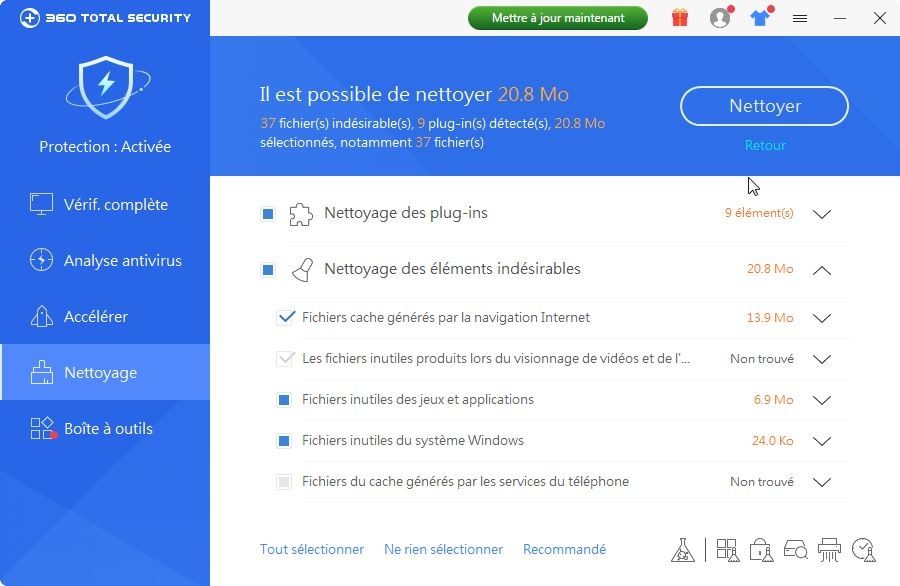
But safety is not the only goal. Performance matters. Cleanup tools target temporary files. Browser history. useless caches. Disk space is freed. Crucially, it leaves your personal files and settings. No need to delete photos to save 500 MB. The software knows the difference.
This optimization doesn’t just increase speed. It maintains data confidentiality. Clearing your browser history and cache can reduce your digital footprint. Protect your privacy with cleaning.
Optimization tools and monitoring
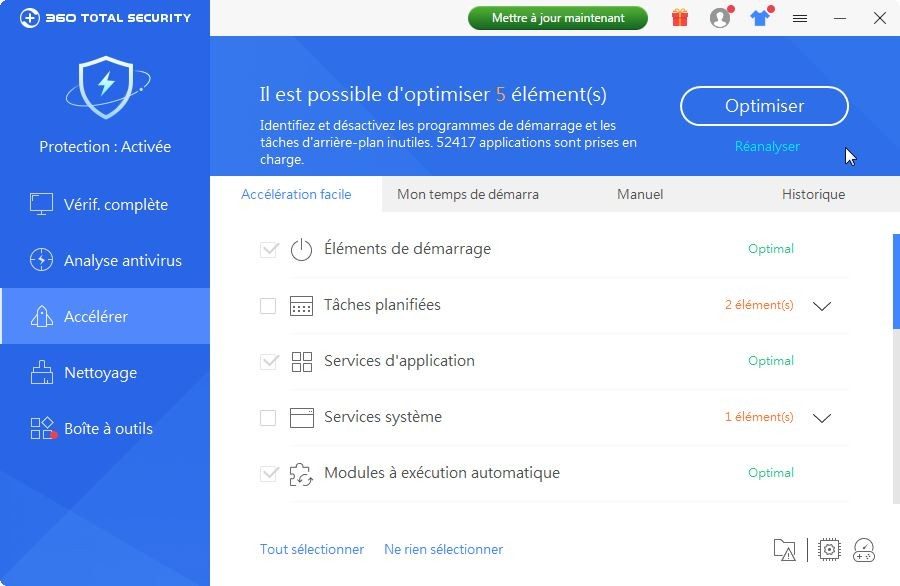
Optimization goes deeper than cleaning. The software includes a startup manager. You can control what starts at startup. Is your computer slow? There might be something on that list.
There is also a task scheduling feature. You can configure maintenance tasks to be performed automatically. You don’t have to remember to clean your system every month.
Includes hardware monitoring. Check the CPU temperature. Assess the health of your hard drive. This is useful for older machines. You may not realize your drive is failing until it’s too late. The software keeps an eye on it.
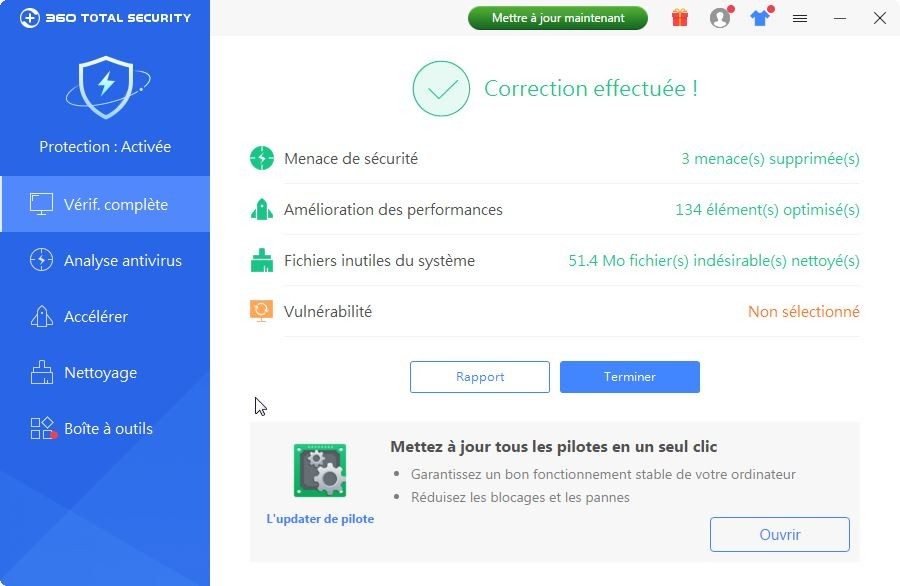
Personalized recommendations help stabilize your system. Recommends changes to speed up and stabilize overall performance. The result is a safe and responsive device. Eliminate slowdowns caused by old files and bloatware.
Is it perfect? Probably not. However, it is a strong option for those who want security without the complexity. Or hardware that has been rejected by other vendors. It covers the bases. It watches the web. It cleans the house. This is done on a machine where most people are written off. The question is, can you trust multiple engines working in tandem? Or if you’re willing to take the risk.
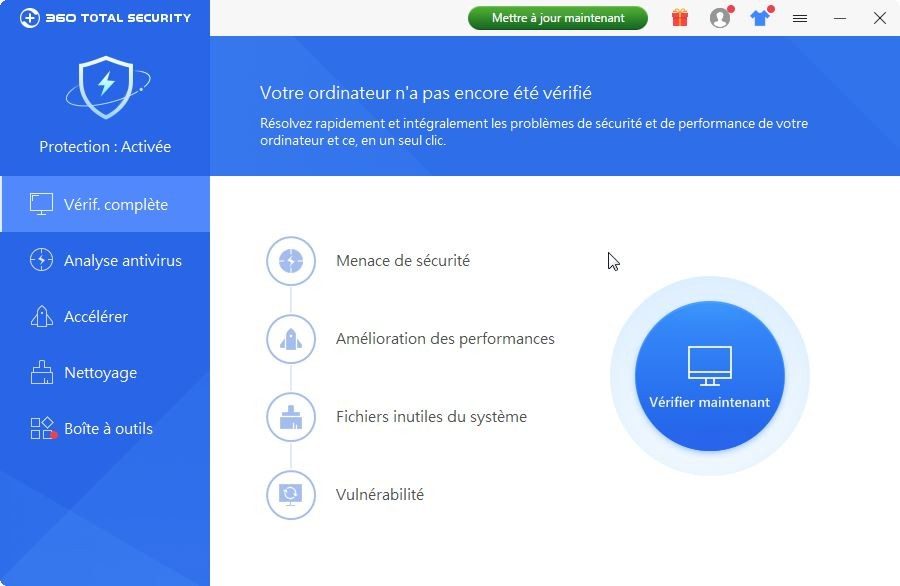
How to download and install 360 Total Security
360 Total Security is easy to use on your computer. No account required. No need to jump through hoops. Just visit the official website or a trusted technology portal like Futura, find the link for your operating system and click on it.
Works on Windows. XP – 11. Works with macOS.
The installer gets everything it needs. You run it. You agree to these terms. Follow the instructions. You don’t need to register with an email for the free level. This is the standard setting. Simple. Direct.
The core software is completely free. You can get an antivirus engine. System cleanup tools are provided. Basic optimization functions are available. If you want more, you can choose the premium level. This is an annual or multi-year subscription. If you are a student, you can get discounts and catch a sale.
What does the premium version include?
– Privacy protection is more extensive.
– No ads.
– Priority support.
– Enhanced ransomware protection.
– Unlockable optimizers to speed up system tuning.
You can start for free. Upgrade later when you need extra layers.
Managing licenses and multi-device settings
When you protect your home network or small business, you’ll never be left in the dark. The software includes a separate space for managing multiple licenses.
This does not only apply to IT professionals in large companies. Suitable for TPEs, small businesses and households with multiple computers. Can be monitored centrally. Send updates to all your devices from one dashboard. This ensures that all machines have the latest detection engine.
Compatibility issues happen. A new update may break something on your old device. You can roll back. The official website has an archive of previous versions. Third party technical security websites may also mirror these too. Use them if you need the stability over new features.
By default, it updates automatically. However, you can force a manual check from the main menu. Why bother? Get the latest virus signatures and security patches today. New threats do not wait for the next scheduled scan. Forced updates keeps your defenses sharp.
Why 360 Total Securitys stands out in a competitive market
Why choose this over Avast, AVG or Kaspersky Cloud Free?
This is a multi-engine approach. And the focus on performance.
Most free antivirus software only looks for viruses. This one also tries to make your PC faster of your computer. Combine prevention, detection and optimization. The result is a tool that automatically scans and cleans according to the schedule you set. The user interface is customizable. It fits your workflow, not the other way around.
It’s not just about stopping the threats. This keeps the system responsive. That’s why it consistently ranks high in lists of the best free antivirus options for Windows and macOS.
There is no official certification for the use of this software. There are no university courses. But there is a lot of help out there. Video tutorial. User manual. robust FAQ. All published. Available on official websites and specialized forums.
Whether you are a beginner or experienced, you can find answers. Developers prioritize accessibility. This explains why it remains popular among those looking for reliable protection without compromising on ease of use or quality.
Frequent updates. Adaptability to varied hardware. It appeals to everyone from casual users to IT professionals.
For deeper insights? Check the official website regularly. User forums are a treasure trove of tips and best practices. The software is constantly evolving. Society learns from it.
It’s not a question of whether it works. It’s how much control you want over that protection.
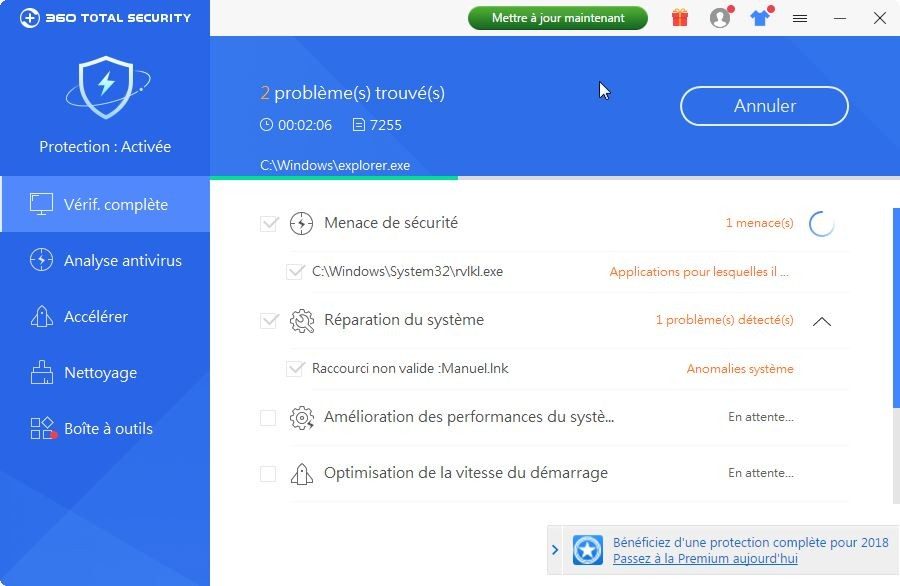
The 360 Total Security technical bulletin is more than just a list of technical information. This is a practical guide. This will help you determine if the software is suitable for your environment before installing it. Here we focus on stable parameters. Supported operating systems, architectures and update mechanisms remain the same from week to week. This stability makes deployment smoother. This information is important whether you are protecting a single machine or a small network of devices.
The installer can be downloaded from Futura. Select the appropriate version for your system. Windows or macOS. Follow the assistant. Internet connection helps. Optimize signature updates and access to cloud services. However, you can work offline for basic use. The real-time protection module works together with the optimization tool. They work in tandem to keep your computer responsive. No complicated adjustments are required.
System requirements and architecture
This software supports many old and modern systems. Windows XP, Vista, 7, 8, 10 and 11 are all listed. It can handle both 32-bit and 64-bit architectures. macOS is also supported. Requires standard hardware. Administrator rights are required for installation.
Linux, Android and iOS are not supported. There are no dedicated apps for these platforms. This limitation is obvious. The installation file is simple. .exe is available for Windows. .dmg is available for macOS. The user interface is multilingual. French is available.
Security engine and update mechanism
How strong is the defense? The engine is a hybrid. Implements a unique cloud engine. It also integrates third-party engines depending on your configuration. This two-pronged approach is designed to expand coverage. The protection type is special. Real-time antivirus. Web protection. Anti-ransomware. Firewall. Download control. These modules work together.
Updates are mostly automatic. You can also update manually. This gives you control over timing. The publisher is Qihoo 360 (also known as 360 Technology). The license structure is free software. Premium options exist for advanced needs. Multi-device licensing and management are part of the premium product.
Deployment and Privacy Considerations
Distributed via Futura and the publisher’s website. Privacy settings are configurable. You can adjust data collection and protection parameters. Such transparency is important for users who care about their digital footprint. The goal is a secure adoption process. Both individuals and small businesses benefit from this clarity.
The key to a smooth installation is to choose the right installer for your operating system and make sure you have administrator rights.
Why is this important for everyday users? Because compatibility is not always guaranteed. If you’re using an older computer, XP support is a relief. This is not suitable for mobile phones if you want multi-platform protection. You have to know where the limits are.
The difference between offline and online activities is subtle but important. Core Protection works without a network. This is not the case with signatures. This affects how threats are handled in isolated networks. The optimization tools are designed not to slow you down. This is the promise of architecture.
Are there any disadvantages? Proprietary engines may behave differently than traditional signatures. Integrating third-party engines adds even more complexity. But it also adds layers. The result is a security posture based on both cloud data and local files.
Language support is extensive. However, if you need content other than French, check the multilingual list. The user interface is changed, but the basic mechanics remain unchanged.
If you manage multiple machines, Premium license offers a way out of the single device trap. Management is simplified. However, for the average user, the free version covers the basics. Real-time engine monitoring. Web filters block invalid links. Firewalls protect your perimeter.
The installation files are of standard format. No obscure design. The process is controlled. However, the underlying architecture requires administrator rights. This is a security
Hidden costs of free updates
Most people think of software updates as just a fix. Click Install Now to return to scrolling. This mentality is dangerous. Vendors don’t fix code for charity. They fix it and lock you into their ecosystem. Or worse. To introduce features you didn’t ask for.
Consider the latest patches for your operating system. Apple has released the macOS Sonoma update. Microsoft has released another cumulative patch for Windows 11. Each claims to improve security. The headlines say so. But the reality is more complicated.
Why vendors push updates hard
Safety is the obvious reason. A zero-day vulnerability in your browser could allow strangers to read your email. This is important. But there is another layer. performance.
The new software requires higher hardware requirements. If you have a 5 year old laptop. You feel it too. This update may make the user interface smoother. However, background telemetry consumes RAM. Boot time is slower. Change speed for safety. Or so the argument goes.
This is not just a privacy issue. It’s about control.
Fragmentation problems
Not all will update immediately. Some users are waiting. They’re testing the waters. They read forums. They look at where others are reporting crashes and blue screens. This creates fragmentation.
It is difficult for developers to support older versions. They have stopped supporting the old APIs. The application has stopped working. You have two options. Update and risk instability. Or stay old and risk obsolescence.
Which is worse?
| Risk factors | Update now | Update will be delayed |
|---|---|---|
| Security | Highly protected against new threats | Vulnerable to known exploits |
| Stability | Increased risk of new bugs | Proven stability (for older versions) |
| Compatibility | Use latest features | App may stop working |
| Performance | Potential bloatware slowdown | |
| Legacy optimization |
How to stay safe without losing your mind
You don’t need to be an administrator to manage this. But you need a strategy.
- **1 week delay. ** Wait until the first wave of patches has subsided. Check out Reddit. Check out Twitter. Check if any printer has stopped working.
- Make a backup before you click. Use an external drive. Or a cloud service that doesn’t automatically replace old files.
- **Disable automatic updates for critical devices. ** Keep your phone updated. Make it simpler. What about your main work laptop? Take control.
“Security through obscurity is dead. Security through patching is a race.”
The future of patching
Zero-day attacks are becoming automated. Bots look for vulnerabilities as soon as they are published. If you wait a month. It’s already too late.
This creates a paradox. Need to update it quickly. But you have to test them. The solution is not a manual check. This is a better automated testing environment. Virtual machines that run updates in isolation. Then roll them out if clean.
We are moving towards a world where software automatically manages things for us. For better or worse.
Normal users don’t have the tools to do this. They click. They hope. They forget. And then. When ransomware hits. They wonder why their backups were on the same drive.
It’s not a secret. This is just carelessness. Or convenience.